
Wakku
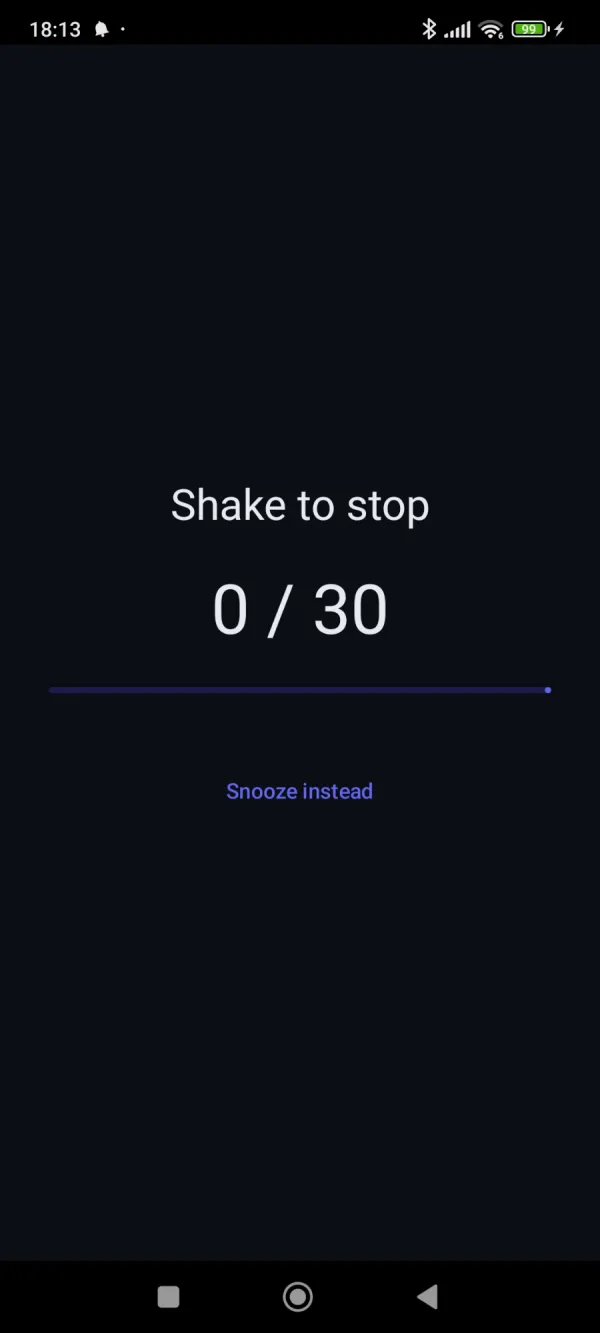
An alarm you turn off by shaking your phone.
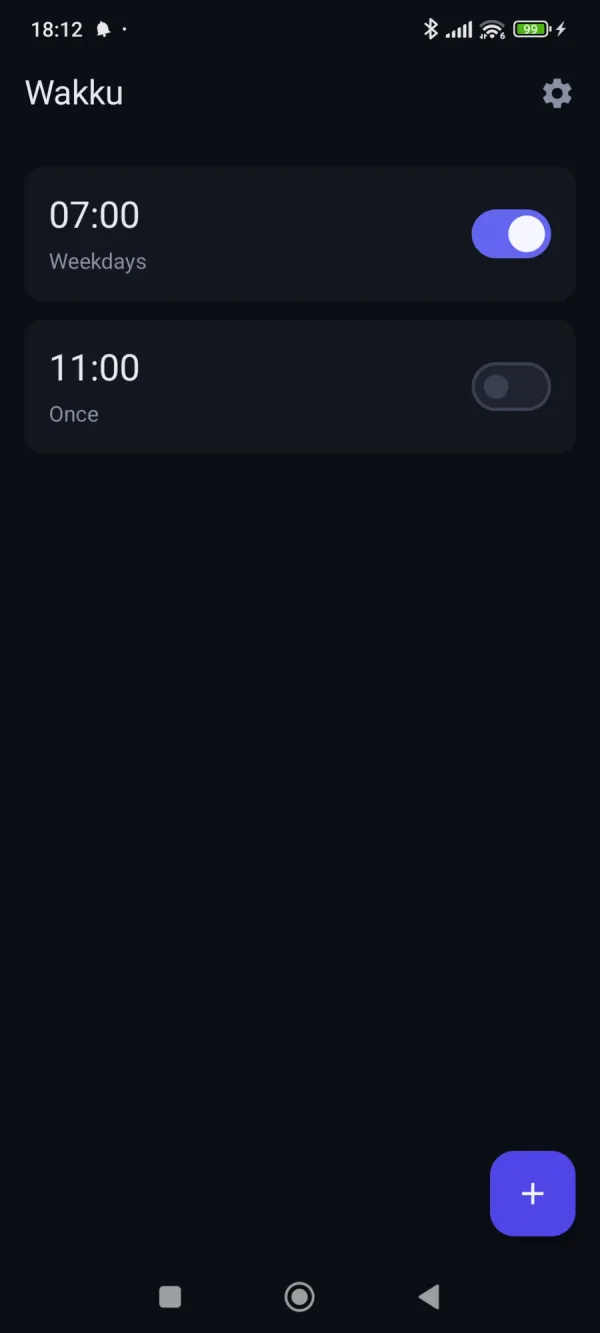
What was my problem?
For years I used an alarm clock app that did one job: ring, and make me physically wake up to stop it. Over time it filled up with ads. Every morning, half awake, I had to look at them, and the app also drained the phone’s battery. The paid alternatives cost money for something that should be simple, and I didn’t want to pay for that.
I wanted a small, honest alarm clock with these properties:
- Shake to stop. The alarm only stops once you’ve shaken the phone a set number of times, so you can’t half-asleep tap it away.
- No ads, no accounts, no backend. Everything stays on the device.
- Low battery use.
How did I solve it?
Stack
Native Android in Kotlin, with Jetpack Compose and Material 3 for the UI. Alarms are stored locally in Room (SQLite) and global settings in DataStore. There is no server and no network code.
Key decisions
- Reliable scheduling. I used
AlarmManager.setAlarmClock()rather than a generic exact alarm. It is exempt from Doze (Android’s battery-saving idle mode), so alarms fire on time without keeping the app running in the background. That is also why battery use is low: the app does nothing until an alarm is due. A boot receiver reschedules alarms after a reboot. - A shake challenge that can’t be bypassed. Tapping Stop only silences the sound and starts the challenge. If you cancel, press back or home, or walk away, the alarm falls back to snoozing instead of counting as dismissed. The same applies to the Stop button in the notification.
- Testable logic. The shake detection (
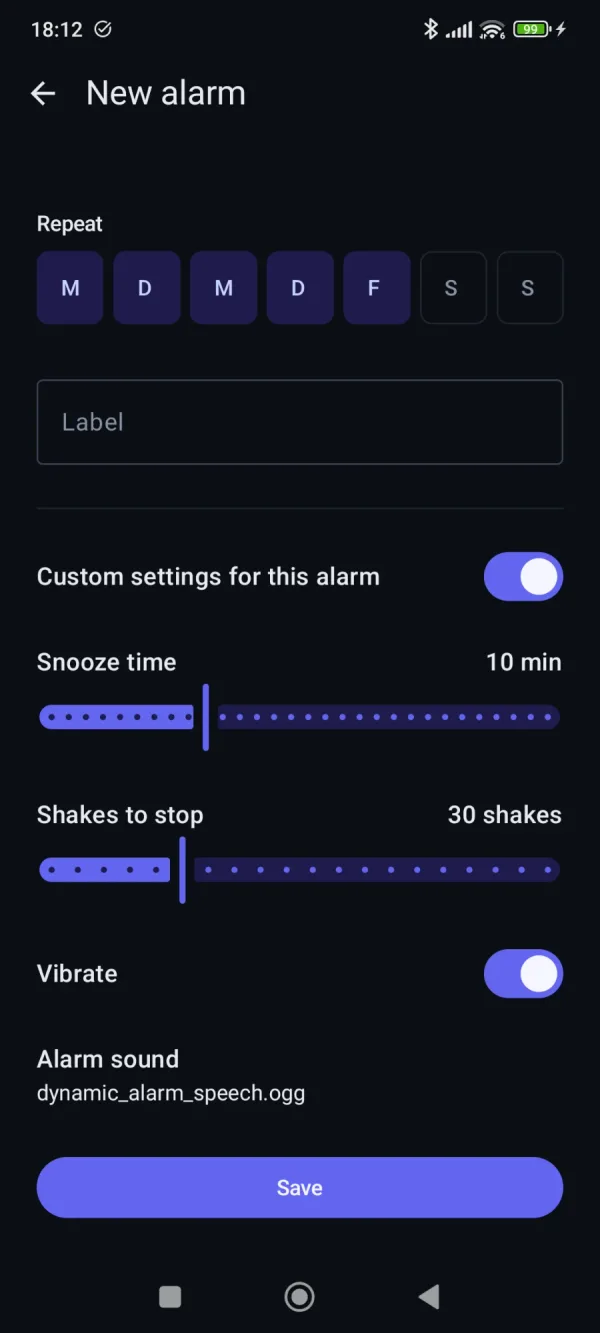
ShakeCounter, peak detection) and the next-alarm time calculation (AlarmTiming) are pure Kotlin functions, separate from the Android sensor and alarm code. That let me unit test them without a device. The tests found a real latent bug in the shake counter. Compose UI tests cover the edit and ringing screens. - Per-alarm overrides. Each alarm can use its own snooze length, shake count, vibration and sound. If it doesn’t, it falls back to the global defaults.
- A “Next alarm” notification. A persistent, low-priority notification shows the next alarm. When an alarm is snoozed, it also offers a way to dismiss the alarm through the shake challenge.
- A dark theme and icon. The theme is dark-only and shares its palette with another project of mine. The icon is a shaking bell.
Retrospective
What worked
- The core idea works. I dogfooded it, and after the fixes it woke me reliably, including overnight on a MIUI phone, which is known for killing background apps.
- Testing the pure logic separately from the Android code paid off.
- The result is what I wanted: a tiny app with no ads, no permissions beyond what alarms need, and no battery drain.
What I’d do differently
- Don’t trust assumptions about platform behaviour. I assumed
setAlarmClockneeded no exact-alarm permission. A crash during testing proved me wrong. I should have verified against the real platform earlier instead of relying on my memory of the docs. - Plan for manufacturer battery optimization from day one. Xiaomi’s MIUI/HyperOS is aggressive about killing apps and sends its own settings screens. I only added the battery-optimization prompt after running into it. It should have been part of the first design.
- Set up automated device testing earlier. All testing was manual on one phone, driven over
adb. The shake counting itself can’t be exercised by a test, because there’s no way to fake real accelerometer events. A small emulator or CI setup would have caught regressions sooner. - Fix the known gaps. A snooze that is pending across a reboot is rescheduled to the regular alarm time, not the snooze time.
- Keep the toolchain pinned. Kotlin, KSP and the Android Gradle Plugin drifted out of sync after IDE auto-upgrades and caused a cryptic build failure.
- Skip the store release. I planned a Play Store release, then dropped it. The app stays private and can be sideloaded as an APK to friends. Playing by Play Store policy (for example, around exact-alarm permissions) would have meant extra work for little gain.